Introduction
Let’s tell a story of “The Developer Who Knew Too Many Frameworks but Too Few Fundamentals”
A junior developer once walked into his first job proudly holding a resume full of buzzwords.
He knew two cross-platform frameworks.
He had completed three online courses.
He had cloned dozens of tutorials.
He could recreate any UI they found on Dribbble.
But a few weeks into the job, problems began to surface.
The moment something didn’t behave like the tutorial, he was stuck.
When a background process didn’t run, he couldn’t explain why.
When the UI began janking during scrolling, he didn’t know where to start.
When the app got killed in the background, he blamed the framework.
One day, during a debugging session, his senior engineer smiled and said:
“You’re trying to solve platform problems with framework knowledge.
Frameworks change. Principles don’t.”
Those words stuck.
The junior developer spent the next few months diving deep-not into frameworks, but into the fundamentals of how mobile apps truly work.
He learned how a device schedules tasks, how the UI becomes pixels, how memory is managed, what the OS expects from an app, and how concurrency keeps the interface smooth.
Suddenly, everything made sense.
Switching between stacks no longer felt intimidating.
Debugging became logical, not painful.
Their code became lighter, faster, and more stable.
Most importantly-
He began to think like a mobile engineer, not just a framework user.
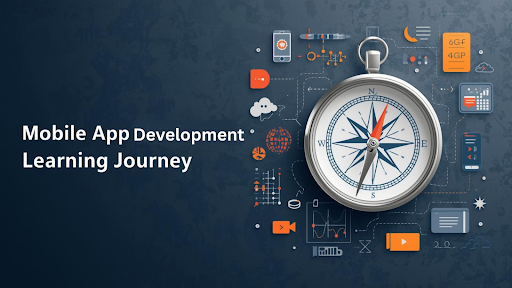
This blog is a guided version of that journey.
Here are the universal concepts every mobile developer must understand concepts that transcend tools, frameworks, languages, and operating systems.
1. Understanding the Platform Itself
Before code comes understanding.
Every mobile environment has its own:
- application sandbox
- system services
- file system layout
- app package structure
- resource management rules
- permission model
- power and thermal constraints
Different labels, same idea:
You must understand how the OS expects your app to behave.
Without this, even simple tasks like storing files, requesting permissions, or running background tasks become guesswork.
2. The Build Process - What Really Happens When You Hit “Build”
The build button is deceptively simple. Behind it lies an intricate pipeline:
- Compilation – transforms code to machine code, bytecode, or an intermediate form processed by the runtime engine.
- Linking & Bundling – libraries, modules, and assets are combined into one final package.
- Code Signing – verifies the app’s identity for the OS.
- Packaging – final app bundle or archive structured according to OS rules.
Understanding this pipeline helps you debug, optimize builds, and manage production versions.
3. UI Rendering Pipeline - How Code Turns Into Pixels
All UI systems follow the same conceptual steps:
- Structure phase – code describes UI elements, forming a tree hierarchy.
- Layout phase – the system measures elements and calculates positions.
- Paint phase – shapes, text, and images are drawn onto layers.
- Compositing – layers are merged, effects applied, and frames sent to the GPU.
Understanding this pipeline allows you to optimize performance, reduce frame jank, and design smooth animations.
4. Threading & Concurrency - The Rule of the Main Thread
Responsiveness is key. The universal rule is:
The main thread must remain free to update the UI.
Concurrency mechanisms include:
- thread pools
- task dispatchers
- async routines
- isolated execution contexts
Proper concurrency prevents UI freezes, crashes, and slow background tasks.
5. Background Tasks & Schedulers - Working While the App Sleeps
Mobile systems enforce strict background execution rules:
- periodic fetch
- deferred tasks
- foreground vs. background execution
- task throttling for power efficiency
The OS decides when tasks run. Learning this prevents unexpected failures in background operations.
6. Notification System - More Than Just Push Messages
Notifications involve:
- local triggers (timers, events)
- remote delivery through system mediation
- user interactions
- batching, collapsing, and throttling
All platforms treat notifications as system-managed events, not mere app messages.
7. App Lifecycle - The Journey From Launch to Termination
Every app goes through:
launch >> foreground >> background >> suspended >> termination >> restoration
Apps must save state and release resources appropriately. Understanding the lifecycle is crucial for stability.
8. UI Lifecycle - The Birth, Update, and Death of UI Elements
UI elements have their own lifecycle:
Initialization >> attachment to UI tree >> updates >> layout & paint >> disposal
Proper management prevents memory leaks and ensures smooth performance.
9. Project Architecture & Design Patterns - Organizing Code for Scale
Beyond fundamentals, structure matters.
Good project architecture ensures:
- maintainable and readable code
- separation of concerns
- scalability for large teams
- testability
Common concepts:
- layering (UI → business logic → data)
- modularization
- dependency management
- state management patterns
- event-driven architecture
Mastering architecture reduces chaos as apps grow in complexity.
10. Memory Management - The Hidden Battle Every App Fights
Mobile devices have limited RAM. Developers must manage:
- allocations and deallocations
- caching strategies
- object churn and leaks
- lifecycle-aware resource release
Poor memory management leads to freezes, crashes, and battery drain.
11. Networking Fundamentals - The Lifeline of Modern Apps
Networking involves:
- DNS resolution
- TLS/SSL handshakes
- HTTP, WebSocket, and streaming protocols
- retries, timeouts, and caching
- offline-first strategies
A strong grasp ensures reliable, user-friendly apps.
12. Persistence & Local Storage - Making Data Stick
Storage concepts include:
- key-value stores
- file systems
- relational and object databases
- data migrations
- caching layers
Efficient persistence underpins fast, stable apps.
13. Permission System - Asking Respectfully
Permissions govern sensitive access:
- camera, microphone, location
- storage and notifications
- sensors and Bluetooth
Understanding permission lifecycles prevents crashes, security issues, and app store rejections.
14. Security - Protecting Data and Integrity
Security essentials:
- encryption at rest and in transit
- secure storage of secrets
- sandboxing
- certificate pinning
- tamper detection
- avoiding sensitive log leaks
Security is layered, and knowledge transcends frameworks.
15. Debugging, Profiling & Tooling
A mobile engineer is a detective:
- breakpoints, watches, logs
- CPU, memory, network, and layout profiling
- frame rate and jank detection
- automated build and linting tools
Tool mastery makes development efficient and reduces blind spots.
16. Deployment & Distribution
Apps require careful handling during release:
- code signing
- packaging and optimization
- metadata configuration
- store submission and review
- release channels (internal, beta, production)
- crash reporting and analytics integration
Deployment is where theory meets practice.
On end of this journey he realised – “Beyond Frameworks: Becoming a Timeless Engineer”
When newcomers asked,
“Which framework should I learn next?”
he replied:
“Learn how the device works. Learn how the OS behaves. Learn the fundamentals no framework can hide.”
Because once you know what happens under the surface, the choice of framework becomes just that-a choice, not a limitation.
New tools no longer intimidate you.
Breaking changes no longer scare you.
You can walk into any project-native, hybrid, cross-platform-and feel at home.
You become the engineer who sees the entire system, not just the code.
You become unshakeable, adaptable, and future-proof.
The ecosystem will evolve.
New frameworks will rise and fall.
But the fundamentals you’ve mastered will remain valid for decades.
And that is the moment you stop being “a developer of a framework” and start becoming a mobile engineer.